Neon Storm
MiniGameRun AI
Play Neon Storm Online
Game details
Type
AI Game
Category
Arcade
Creator
MiniGameRun AI
Created
2026-06-18 03:19:26
Platform
Browser
Engine
Break Bricks
Difficulty
Medium
Device Support
Desktop Mobile
Orientation
Landscape
Play Mode
Single Player
Game Introduction
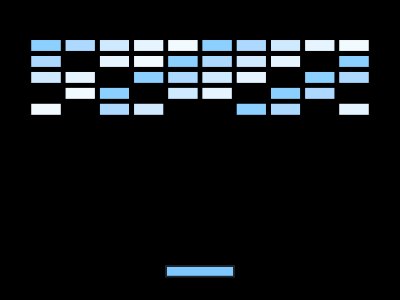
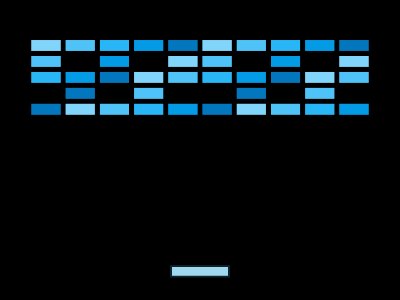
Smash through neon bricks in a dark cyberpunk world. Collect slow-motion powerups to survive an ever-intensifying storm.
Neon Storm is a browser arcade experience designed for players who want fast starts, readable pressure, and a clear reason to retry. The main objective is to stay active on the board, respond to the current pattern, and build a stronger score through cleaner decisions. The generated theme gives the session its visual identity while the fixed template keeps the controls familiar. Players do not need a download, account setup, or long tutorial before the first attempt. They can open the page, read the on-screen goal, and begin learning the rhythm through play.
Features
- Responsive browser play for desktop and mobile sessions.
- Generated visual styling that matches the requested theme and mood.
- A compact arcade loop built around paddle movement, rebound angles, brick clearing, powerups, and fast recovery after missed shots.
- Clear scoring pressure that makes each retry meaningful.
- Simple rules with enough timing depth for repeat attempts.
The feature set is intentionally direct. The page should load quickly, explain the goal clearly, and let the player test the generated setup without extra steps. Each visual choice should make the action easier to read, not harder. Bright accents, clear contrast, and short interface text help players understand what changed after a hit, miss, dodge, combo, or restart. This makes the generated session feel personal while still staying practical.
How to Play
Start from the menu, review the objective, and begin the first run when the screen is ready. Watch the movement pattern before making aggressive choices. In the early seconds, focus on control rather than score, because a stable opening gives every later decision more room. When the pace increases, keep attention on the next obstacle, target, bounce, or safe gap. Strong play usually comes from recognizing the rhythm before reacting. If a run ends, restart quickly and use the last mistake as a clue for the next attempt.
Controls
Move the paddle with your mouse, touch, or keyboard and keep the ball in play.
Controls should feel immediate and predictable. On desktop, use the listed keyboard, mouse, or click input without overcorrecting. On mobile, keep touches short and intentional so the action remains readable. If the template supports both pointer and keyboard control, choose the input that gives the most consistent timing for the current device. Good control is less about moving constantly and more about making the right movement at the right moment.
Tips and Strategy
- Read the pattern before chasing points.
- Protect safe positioning before attempting risky score gains.
- Use early attempts to learn speed, spacing, and recovery timing.
- Restart with one concrete adjustment in mind.
- Keep your eyes on the active danger area, not only on the score display.
Short sessions make it easy to compare decisions from one attempt to the next without a long setup. The browser format removes installation friction and lets players return whenever they want a fast challenge. Readable feedback matters because players need to understand danger, recovery windows, and scoring chances immediately. The pacing supports both casual attempts and more deliberate practice sessions for higher results. Each round should feel clear enough for beginners but sharp enough to reward players who notice small timing details. A good attempt usually starts with patience, then builds confidence as the movement pattern becomes familiar. The scoring loop encourages repeat play because every mistake suggests a specific adjustment for the next run. Visual clarity is important, so the generated theme should support contrast, motion readability, and quick decisions. Players should focus on the next safe action instead of staring at the score during dangerous moments. A calm restart often produces better results than forcing a risky recovery after a missed cue. The challenge is compact, but the pressure grows as the player tries to preserve progress and avoid simple errors. Practice helps players turn instinctive reactions into more deliberate choices under speed. The strongest runs usually balance caution with small bursts of confidence when an opening appears. Audio, motion, and interface text should all support the same fast feedback loop. The experience fits desktop and mobile sessions because the core input model stays direct and easy to remember. Short sessions make it easy to compare decisions from one attempt to the next without a long setup. The browser format removes installation friction and lets players return whenever they want a fast challenge.
Why Play This Game
Neon Storm keeps the objective clear, the feedback immediate, and the next retry only a moment away. Players can use Neon Storm as a short reflex challenge or as a longer score chase across repeated runs. Because Neon Storm starts quickly, every failed attempt still teaches timing, patience, and better positioning. The best way to improve in Neon Storm is to stay calm, watch the rhythm, and make one clean decision at a time. Neon Storm works well for quick browser sessions because the rules are simple but the score ceiling stays open. A focused run of Neon Storm rewards careful control more than random movement or rushed reactions. New players can learn Neon Storm in seconds, while returning players can keep refining routes and score patterns.
Neon Storm is worth playing when you want a quick arcade challenge with instant feedback and steady improvement. The session is short enough for a break, but the scoring pressure gives skilled players a reason to keep pushing. The generated configuration can change the theme, pace, and feel, so each new version can carry a different mood while keeping the core interaction easy to understand. That balance makes the page useful for casual visitors, returning players, and creators testing AI-generated browser ideas.
FAQ
What is Neon Storm?
Neon Storm is a generated browser mini game with fast controls, a compact objective, and replayable scoring.
Is Neon Storm free to play?
Yes. Neon Storm is designed to run directly in the browser without a separate download.
Can I play Neon Storm on mobile?
Yes. Neon Storm is intended for desktop and mobile play when the generated controls fit the device.
How do I get better at Neon Storm?
Practice watching the ball path before committing the paddle, avoid rushed reactions, and restart with one improvement goal after each failed run.
Why does Neon Storm feel different from other generated titles?
The rules come from a fixed arcade template, but the theme, tuning, interface text, and pacing are generated from the prompt.
AI Game Maker
Create a game like Neon Storm
Start from this idea, then change the rules, theme, speed, and controls.
More to play